Synchronous Quizzes (New)
Until recently, only asynchronous quizzes could be created in Brightspace. Now, instructors also have the option to create synchronous quizzes – quizzes where all students start and finish at the same time. This feature is particularly helpful for quizzes scheduled to take place during class time.
Tip
IMPORTANT:
When creating a new synchronous quiz or converting an existing (asynchronous) quiz to a synchronous format, instructors must ensure that the following quiz parameters match:
- the interval between ‘Start Date‘ and ‘End Date‘, and
- quiz ‘Time Limit‘.
Example: If you schedule a 45-minute quiz with a 9 a.m. ‘Start Date’, the ‘End Date’ should be set to 9:45 a.m.
Synchronous vs. Asynchronous Quizzes in Brightspace
The differences between synchronous and asynchronous quizzes in Brightspace are summarized in the table below.
| Quiz Settings | Synchronous Quizzes | Asynchronous Quizzes |
|---|---|---|
| ‘Start Date’ | The date and time when a quiz starts for all students. If a student starts a quiz 10 minutes after ‘Start Date‘, they will have 10 minutes less to complete the quiz. | The date and time when the Start Quiz button becomes available in Brightspace. Regardless of when a student starts a quiz between ‘Start Date‘ and ‘End Date‘, they have the whole time allocated for the quiz to complete it. |
| ‘End Date’ | The date and time when a quiz ends for all students. If a students starts a quiz 5 minutes before ‘End Date’, they will only have 5 minutes to complete the quiz. | The date and time when the Start Quiz button becomes unavailable to students. If a student starts a quiz one minute before ‘End Date‘, they still have the whole allocated time to complete it. |
| Timer | Launches at ‘Start Date‘ for all students. | Launches when a student clicks the Start Quiz button, which can be at any time between ‘Start Date‘ and ‘End Date‘. |
| Duration | May vary among students. If a quiz is set for 60 minutes with a 9:00am ‘Start Date‘, a student who starts at 9:30am will only have 30 minutes to complete the quiz. | Same for all students. Regardless of when a student starts a quiz between the ‘Start Date‘ and ‘End Date‘, they will have the entire allocated time to complete the quiz. |
Creating a Synchronous Quiz
To set up a synchronous quiz in Brightspace, follow the steps below.
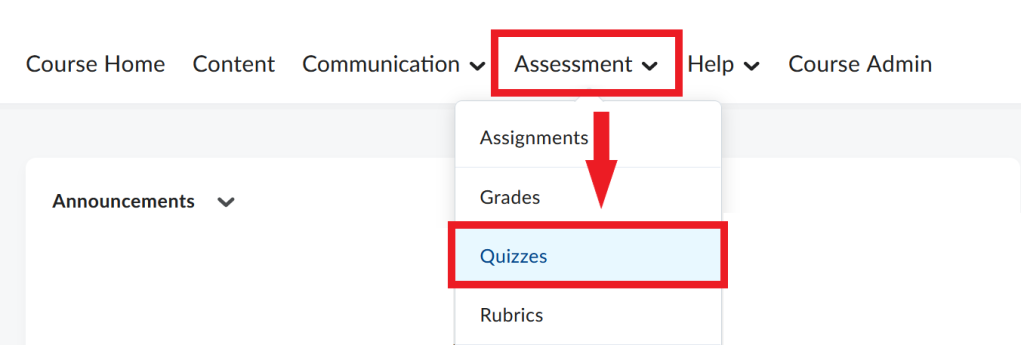
- In your course navbar, click Assessment and select Quizzes from the dropdown menu.
- On the next page, select New Quiz.

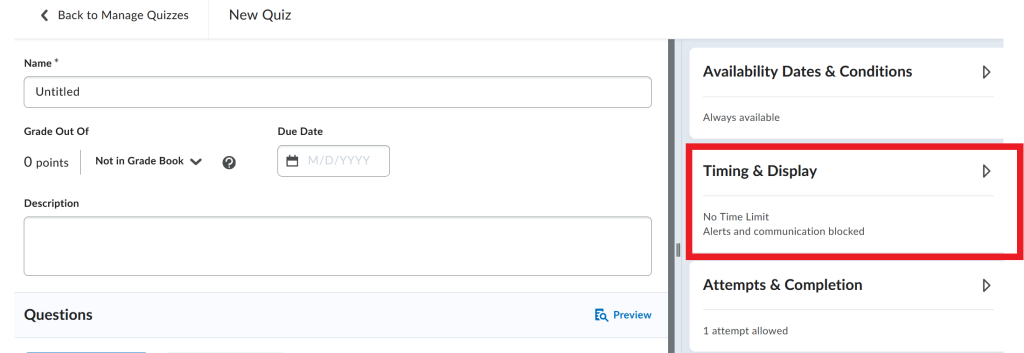
- In the quiz creation window, go to the Timing & Display widget on the right, and click on it to view the settings.
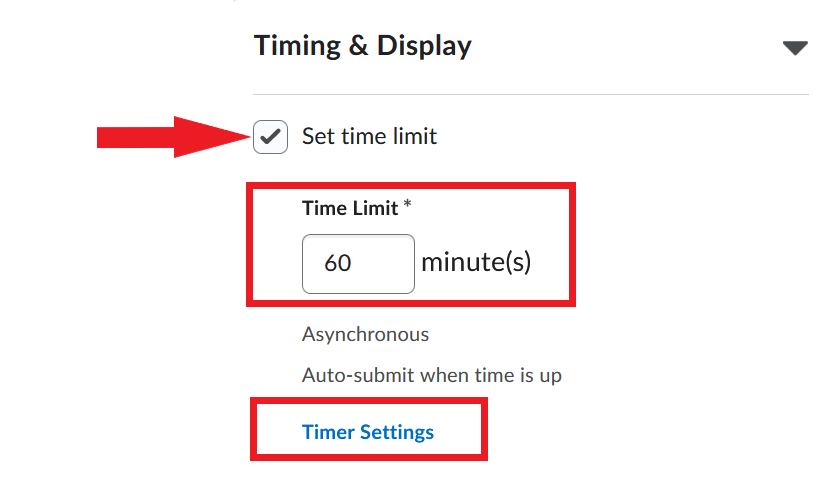
- Select ‘Set time limit‘ and enter the amount of time you want students to have to complete the quiz. After that, click Timer Settings.
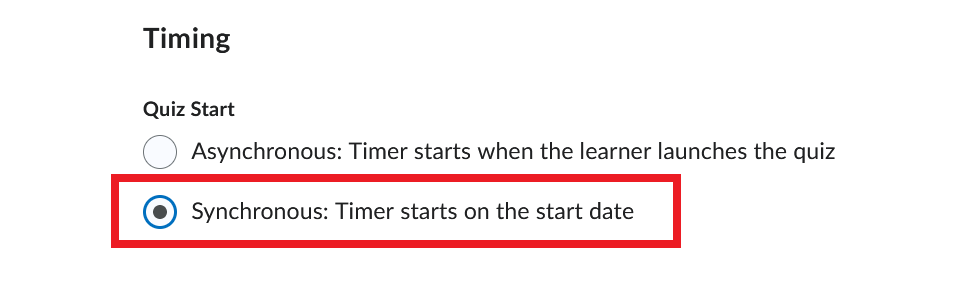
- In the Timing box that pops up, select ‘Synchronous: Timer starts on the start date‘ and click OK.
- Now, go to the Availability Dates and Conditions widget and click to expand and view settings.
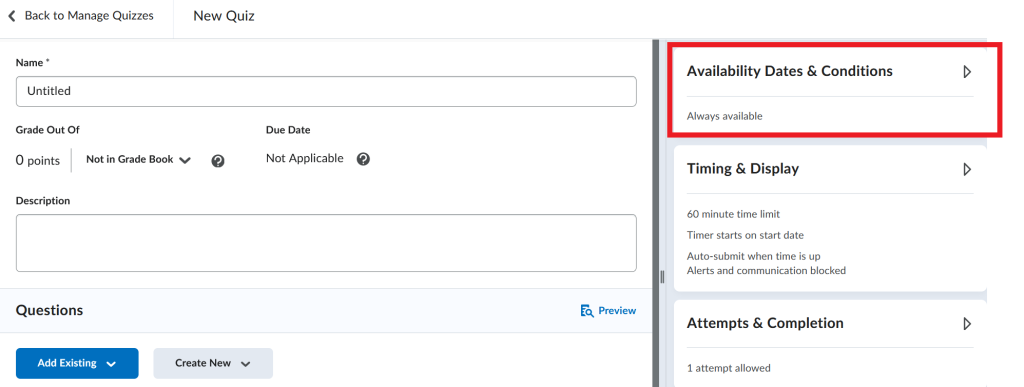
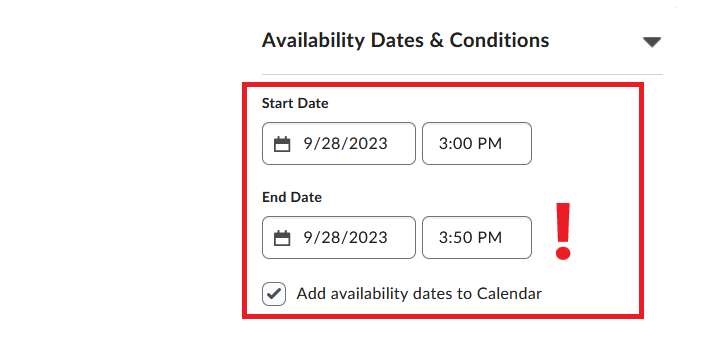
- Set the ‘Start Date‘ and ‘End Date‘ for the quiz, and select ‘Add availability dates to Calendar‘ so that students can view this information in the course calendar.
Note
Make sure that the ‘Start Date’ and ‘End Date’ match the ‘Time Limit’ you set for the quiz.
Finish setting up your quiz and click Save.
Best Practices for Using Synchronous Quizzes
When scheduling synchronous quizzes, instructors should be mindful of students’ other time commitments and potential scheduling conflicts. Therefore, in courses with specified class times, synchronous quizzes should only be scheduled to take place during class time and/or designated exam time.
- It is crucial that students be made aware of upcoming synchronous quizzes. Instructors can communicate this information to students in one or more of the following ways:
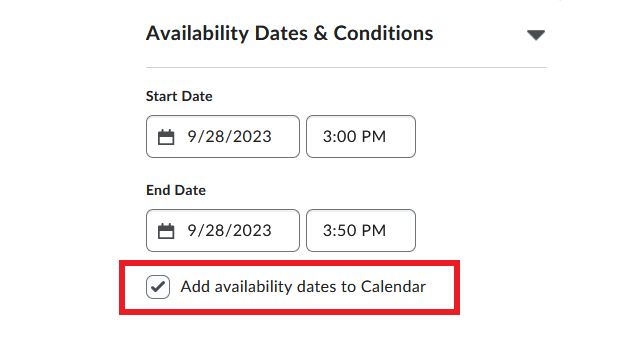
- In the quiz creation window, under Availability Dates & Conditions, select ‘Add availability dates to Calendar’ so that students can view the information in their course calendar. Alternatively, you can manually create an event in the course calendar with quiz details (mandatory start time, the length of the quiz, a link to the quiz etc.).
When converting existing (asynchronous) quizzes to a synchronous format, review quiz settings carefully to ensure that the ‘Start Date‘ and ‘End Date‘ match the ‘Time Limit‘ you set for the quiz.
Create an announcement in Brightspace with information about an upcoming synchronous quiz.
Please contact the CITL Support Centre with any additional questions about synchronous quizzes.